Share a project with a client or colleague
Send your priced plant list to anyone with one link. They see the list, not your account.
3 steps · about 1 min
- 1
Build your project, then choose Keep a link to this list from the project menu and give it a name.
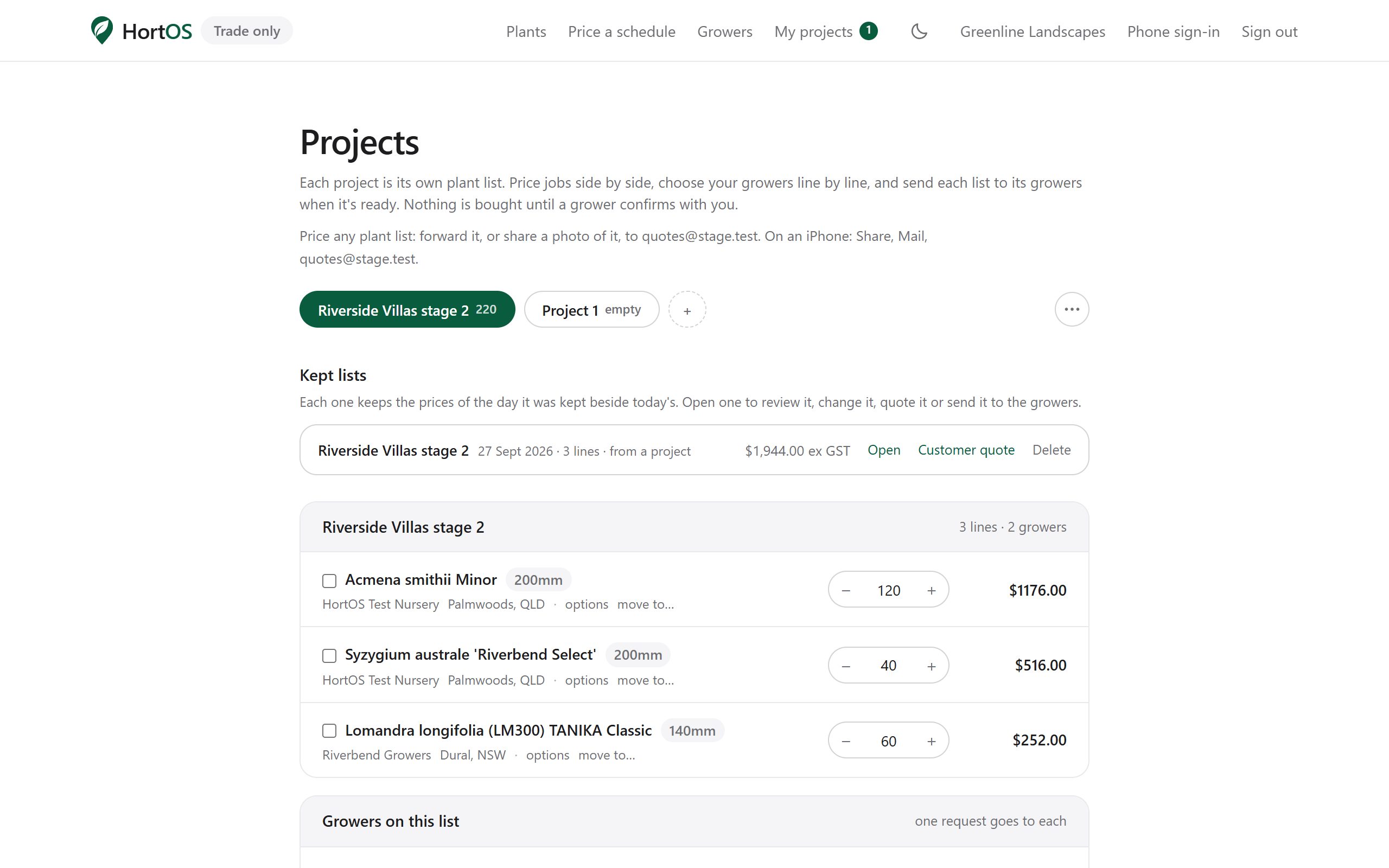
- 2
Anyone with the link sees the plants, sizes, quantities and the prices of the day you kept it beside today's, and can order the lot in one click. Signed in, your kept lists also sit under My projects.
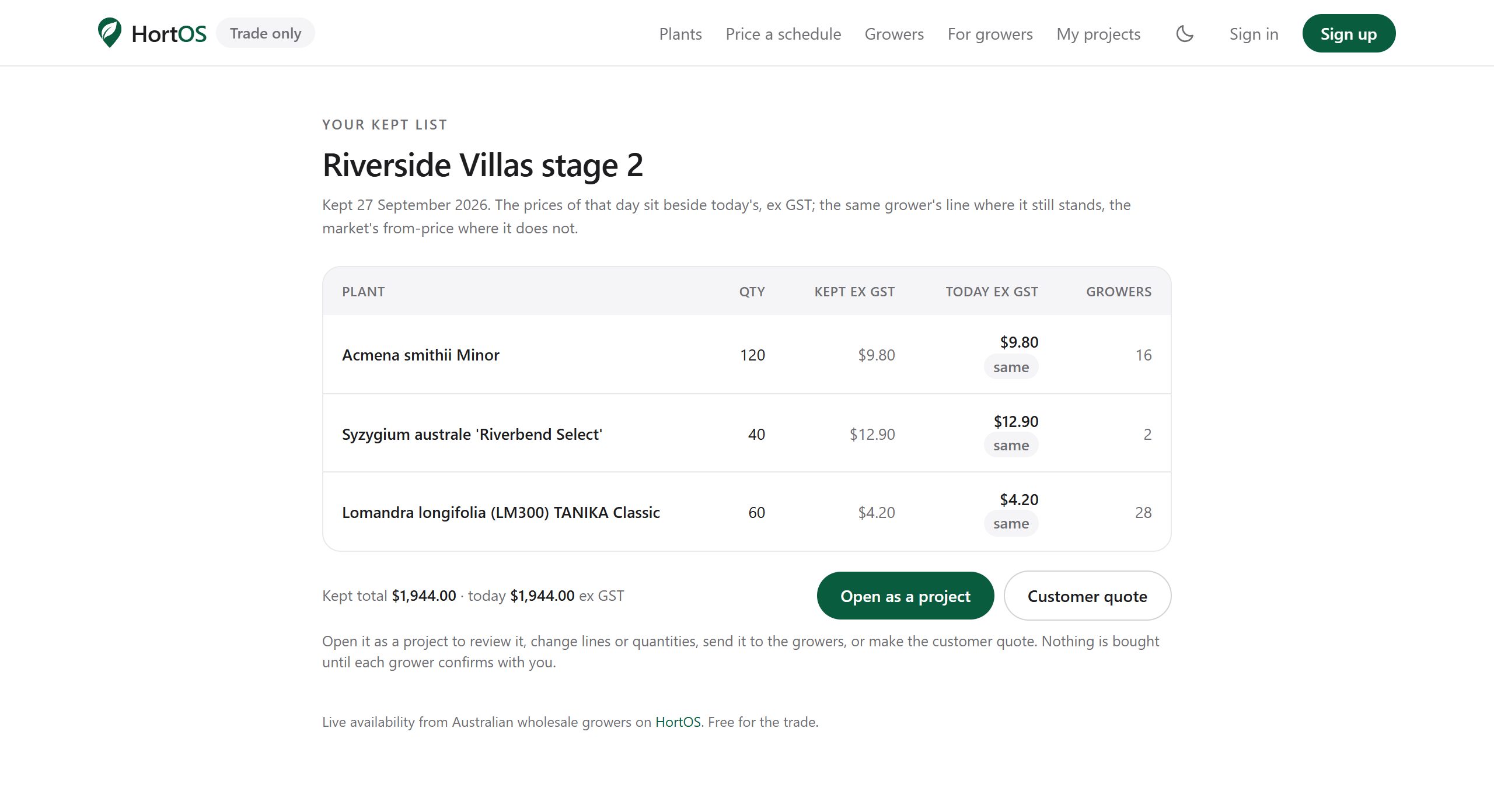
- 3
Use it for client sign off or to hand a buy list to whoever does the purchasing.
Stuck? Email team@hortosapp.com and we will sort it out, or set it up for you.