Track your order
Every order has a live page. You are also emailed at each stage, so if you have no update, there is no update yet.
4 steps · about 2 min
- 1
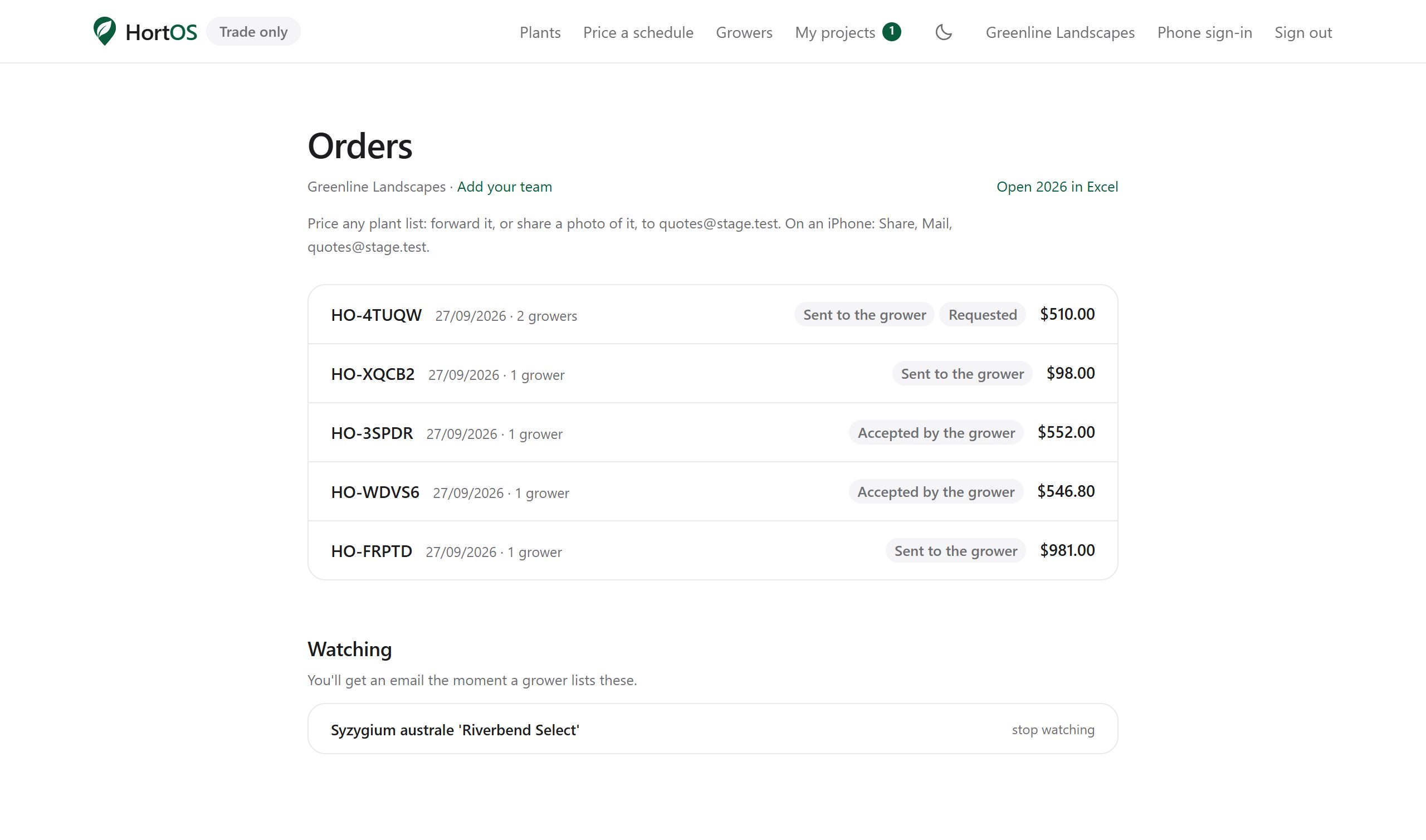
Open Orders to see everything you have placed.
- 2
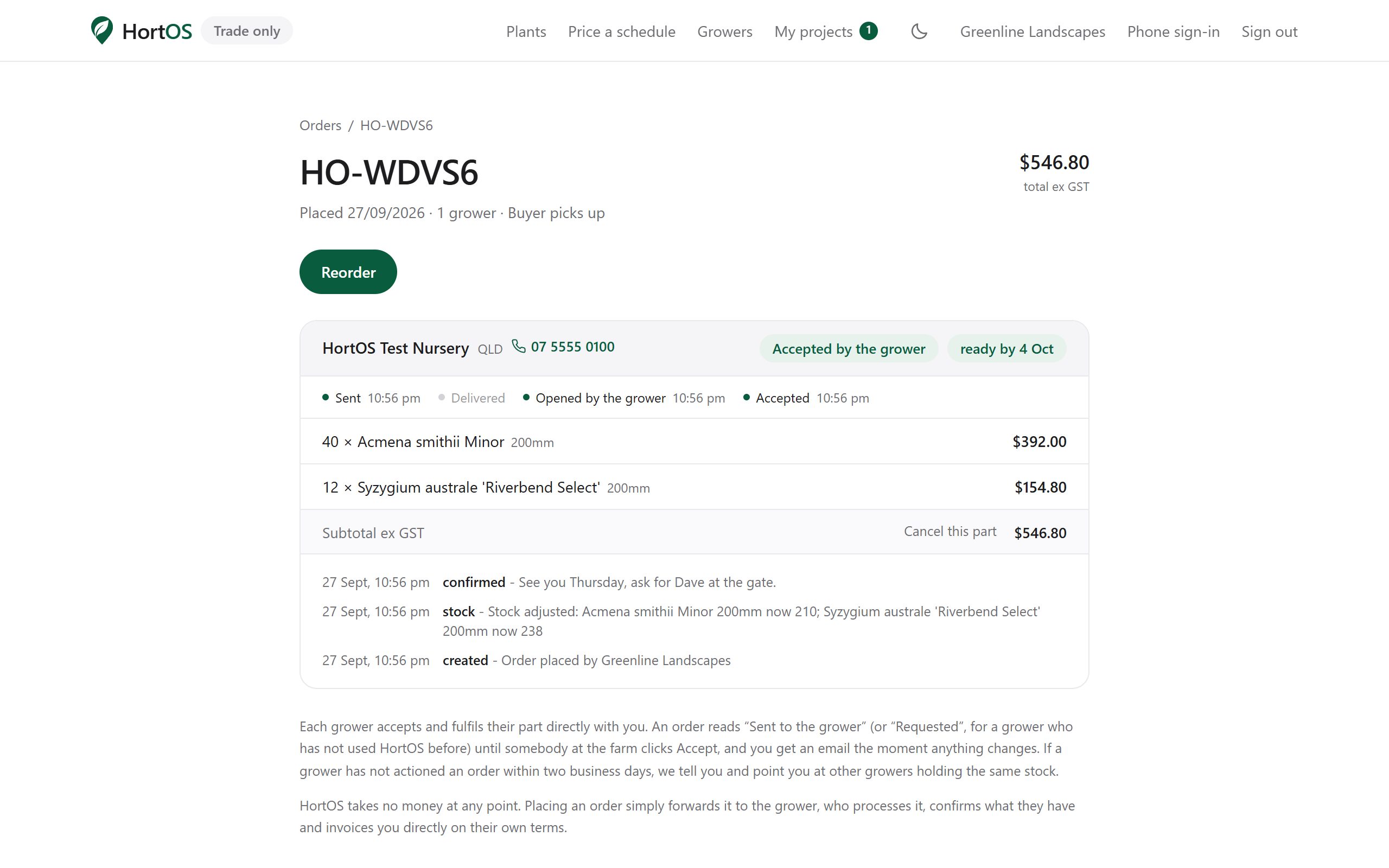
Each order page shows a timeline: placed, confirmed, ready, picked up or delivered.
- 3
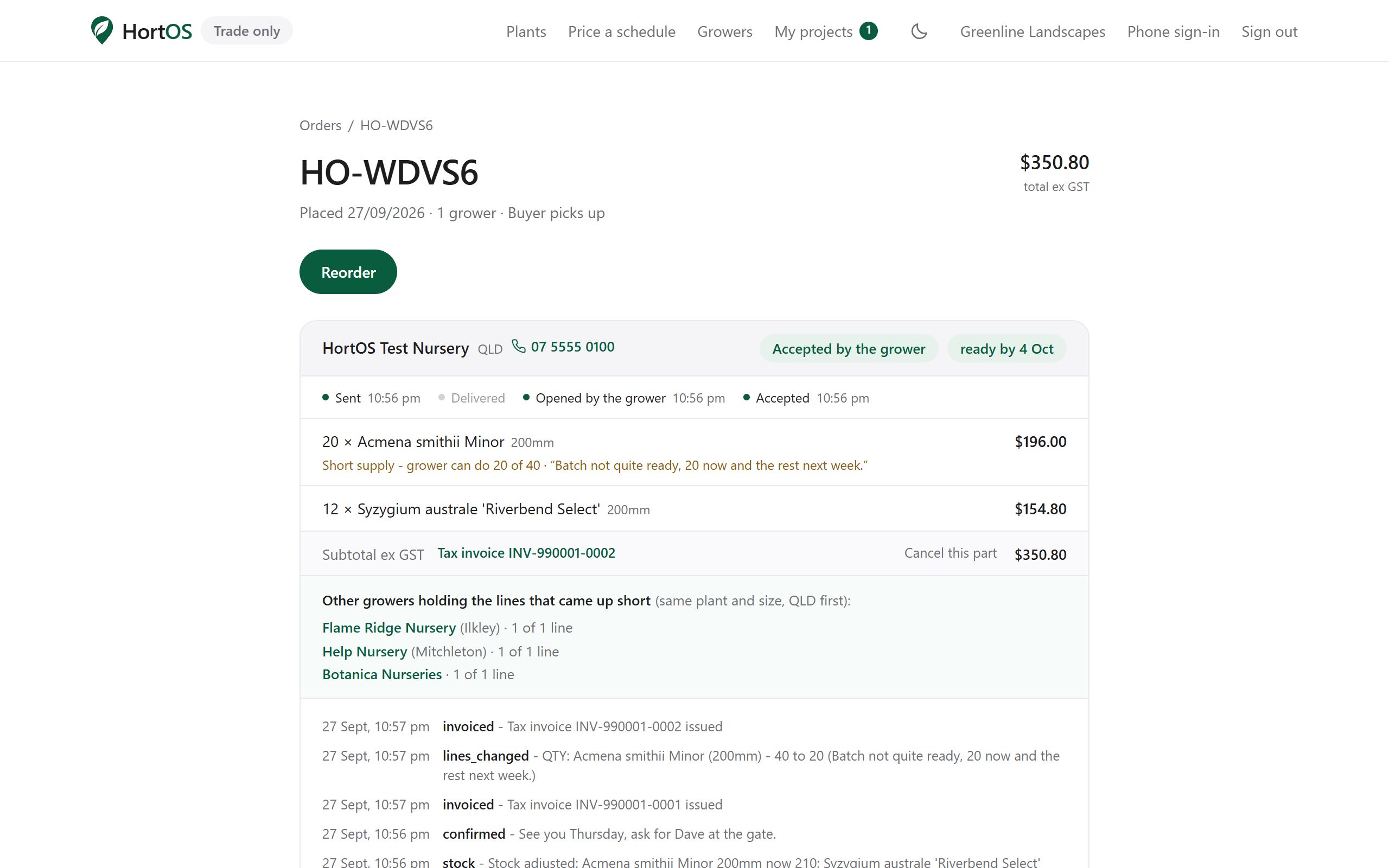
If the grower changes anything, the change is flagged with a note. You will also get an email.
- 4
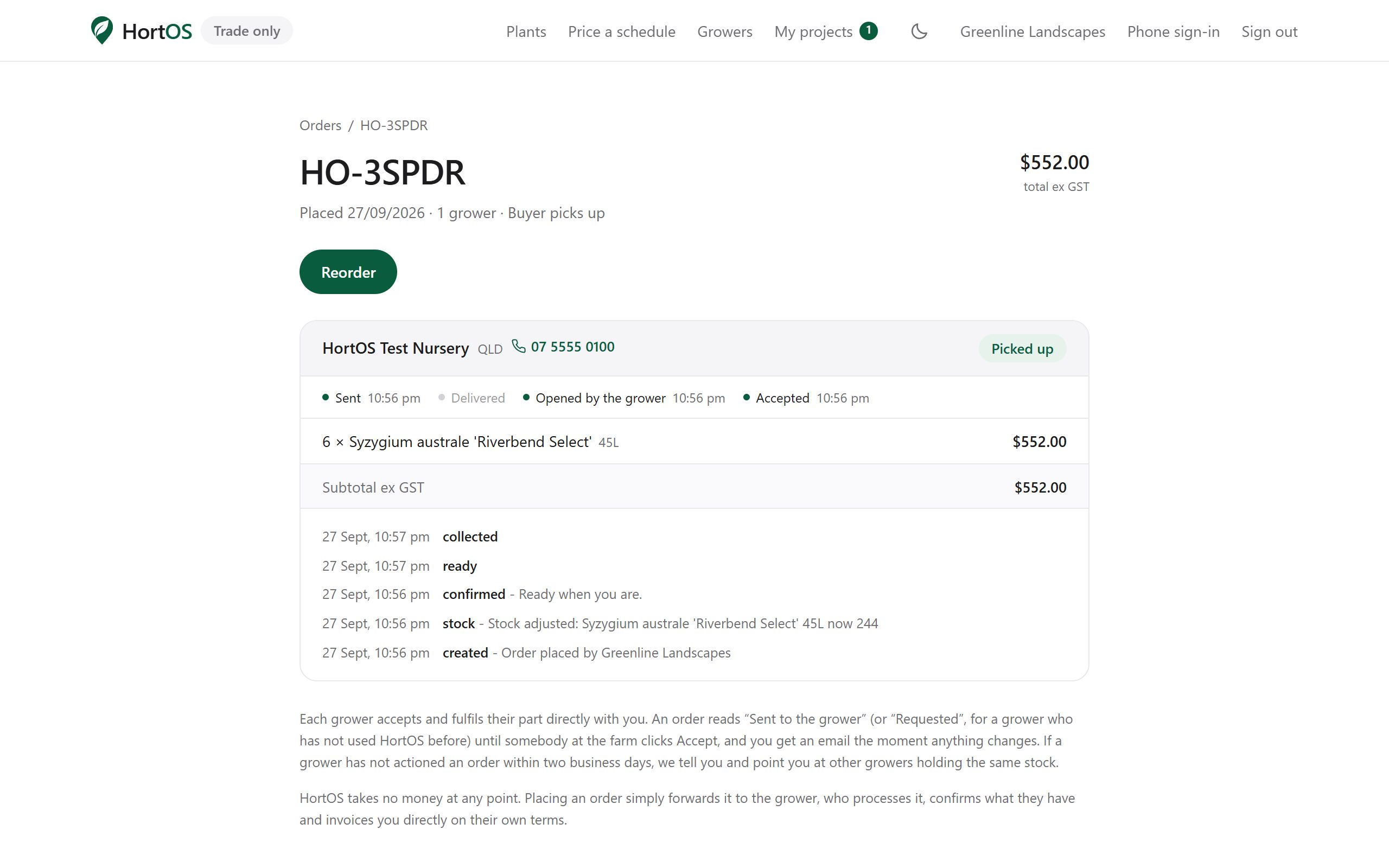
Completed orders keep their full history and invoice links.
Stuck? Email team@hortosapp.com and we will sort it out, or set it up for you.