Add plant photos from your phone
A photo sells the batch. Take it in the row, upload it from your phone, done.
4 steps · about 1 min
- 1
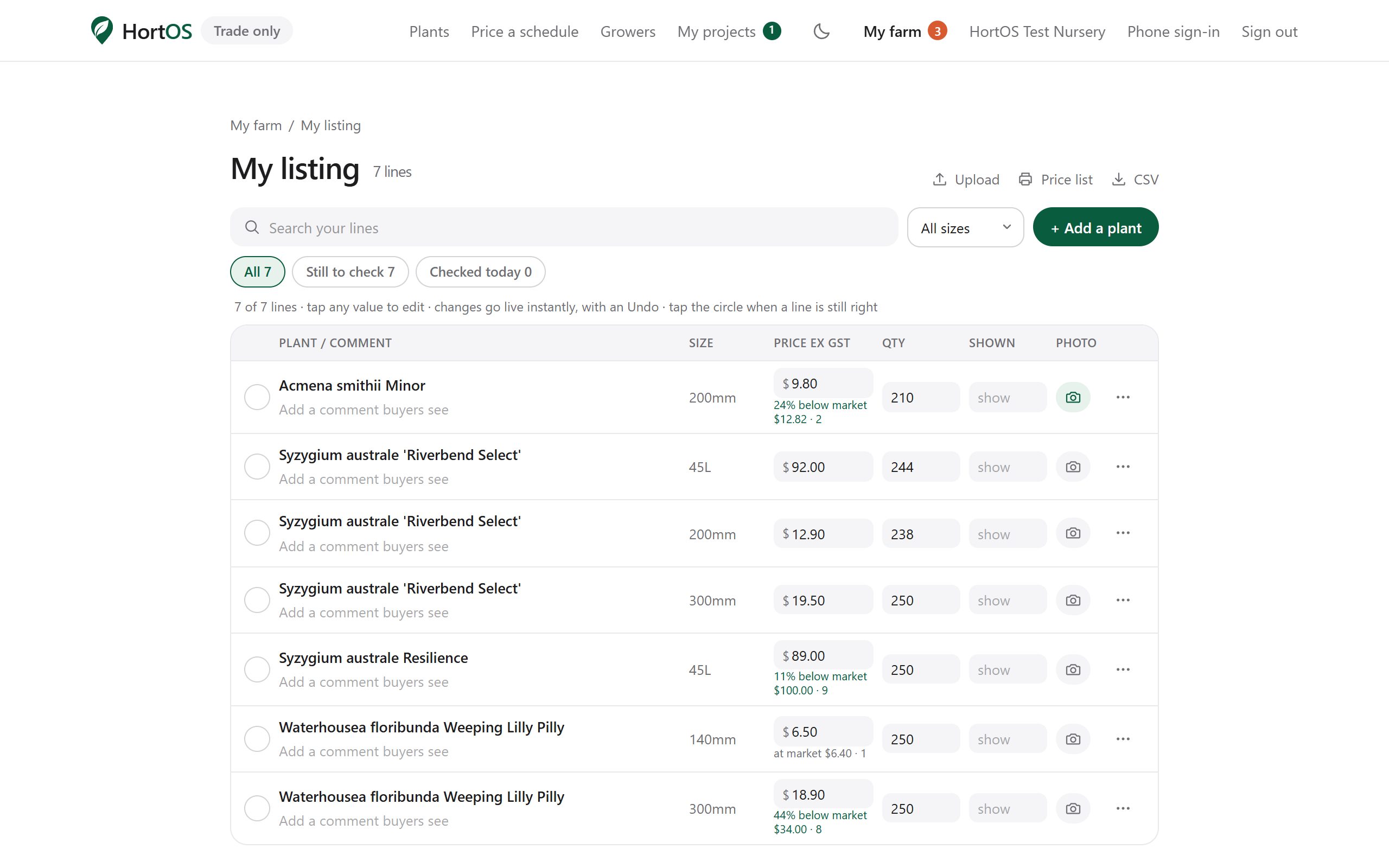
Open Edit my list on your phone and find the line.
- 2
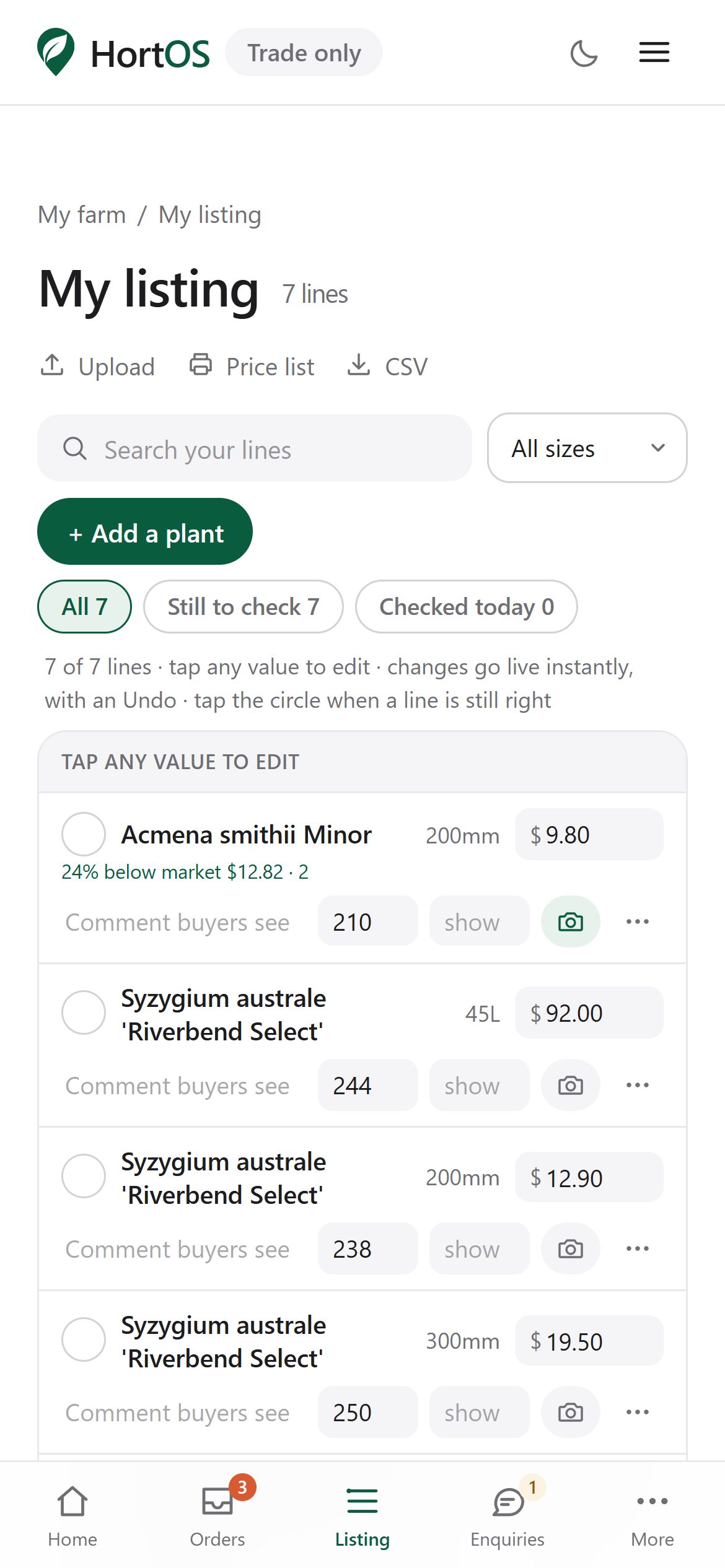
Tap the photo control on the line and choose a picture from your camera or gallery.
- 3
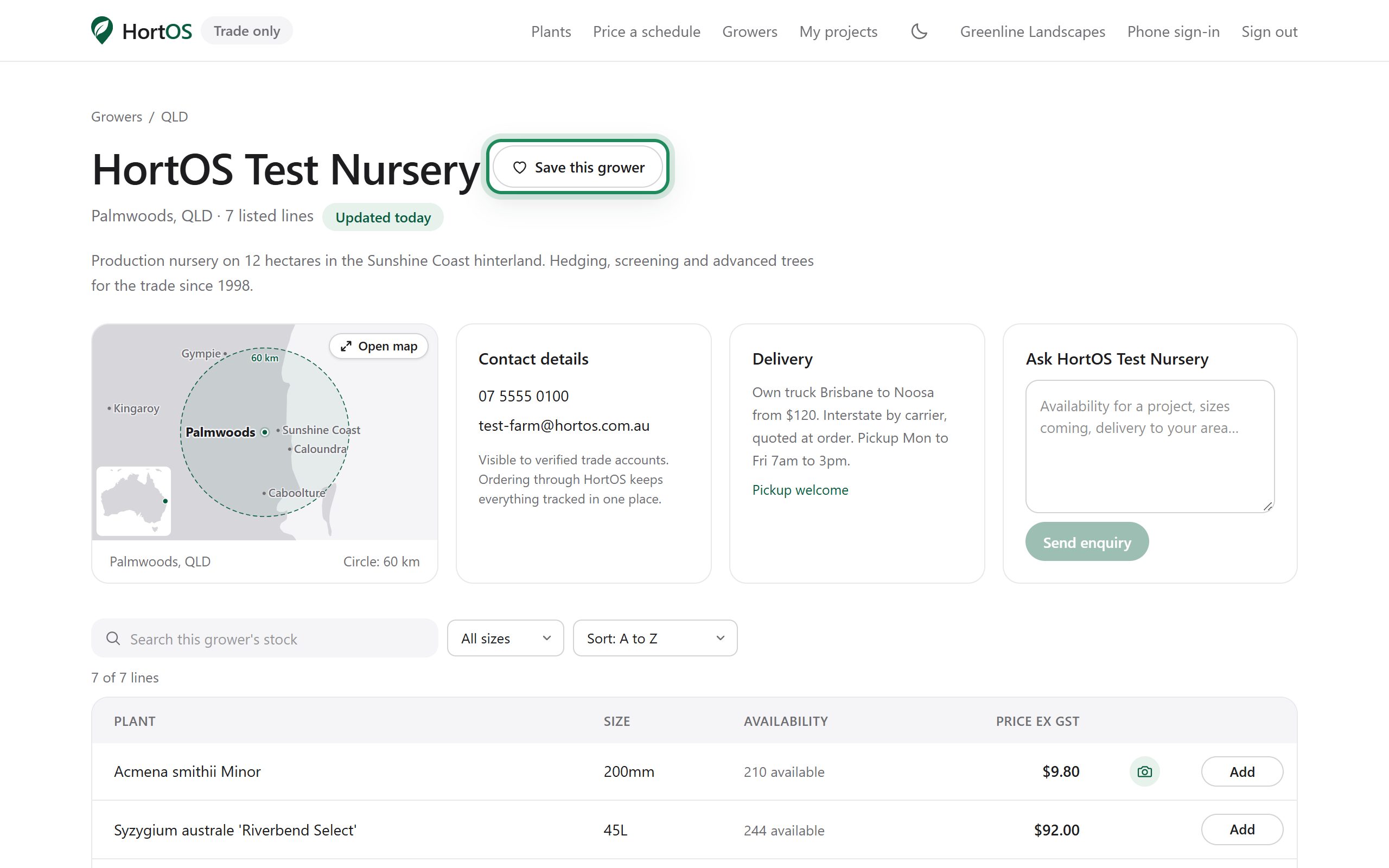
The photo appears on your public listing next to that line. Buyers see exactly what they are ordering.
- 4
Replace it any time the batch changes. Fresh photos plus a fresh stocklist is what makes buyers order without ringing you first.
Stuck? Email team@hortosapp.com and we will sort it out, or set it up for you.