Farm settings, explained
Five minutes here controls how buyers see you and what they can do.
4 steps · about 2 min
- 1
Open Settings, the gear at the top right of your farm dashboard.
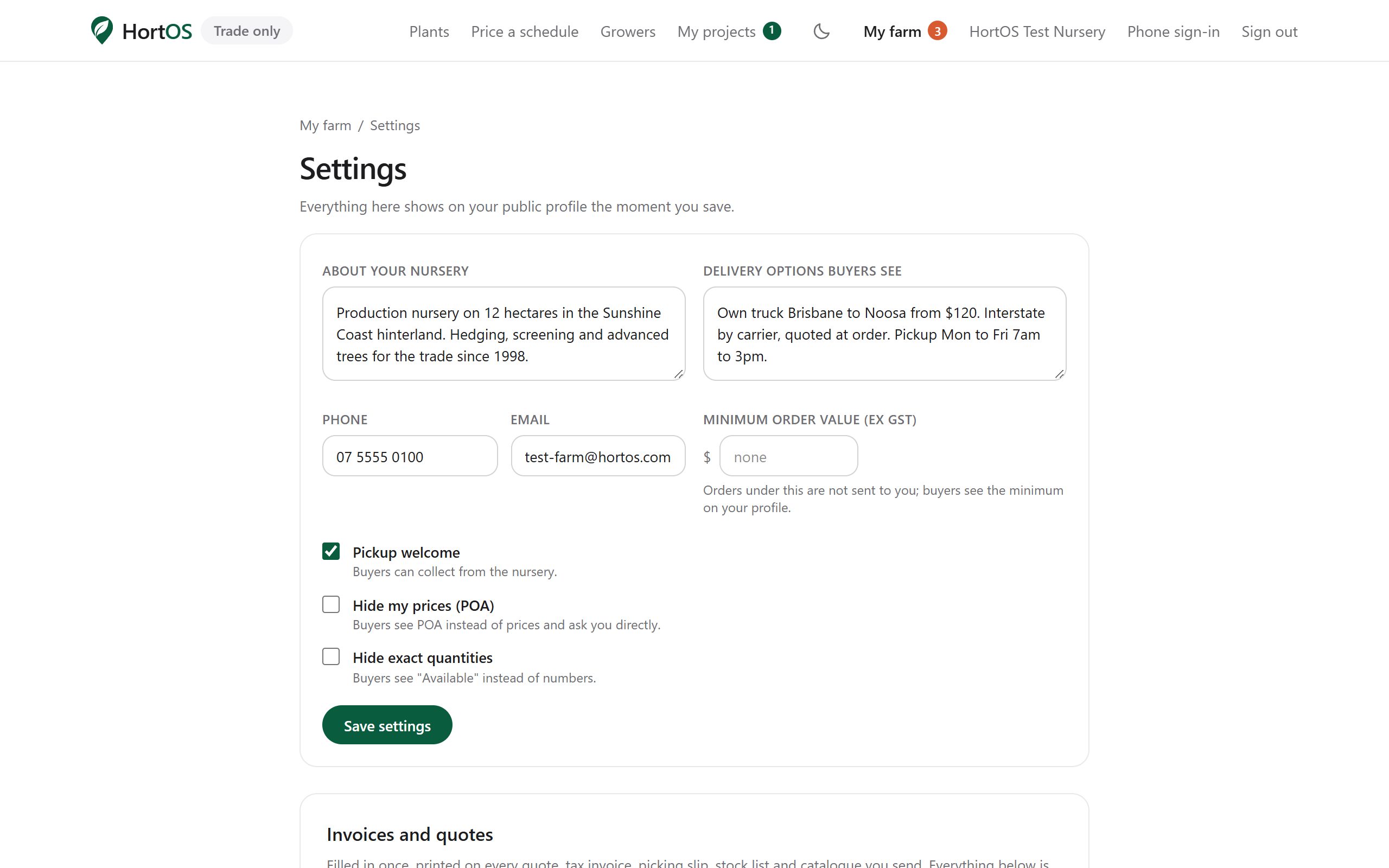
- 2
About and delivery: describe the nursery and how you get stock to buyers. This shows on your public page.
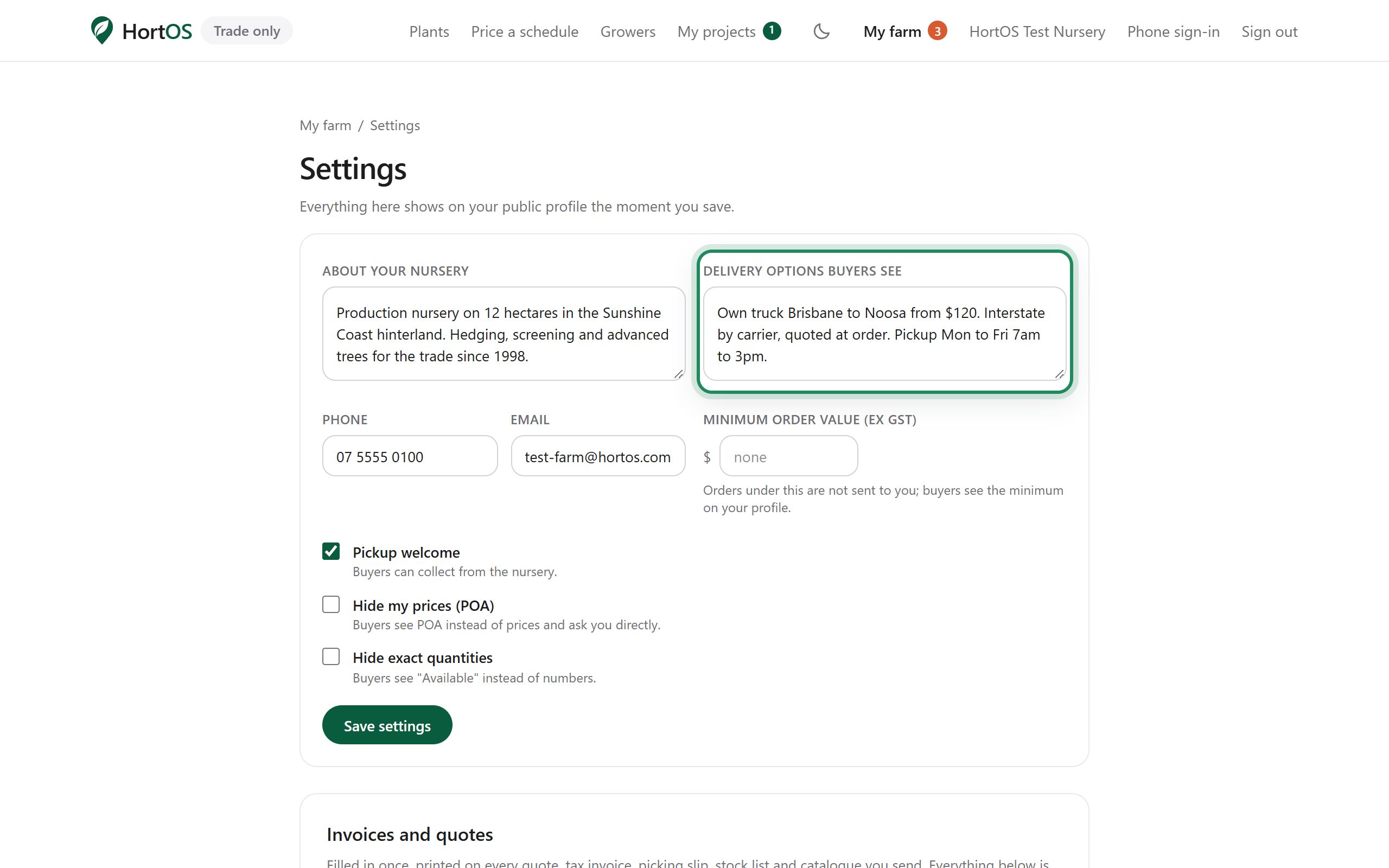
- 3
Pricing controls: turn on POA if you do not want prices shown publicly. Turn on hide quantities if you do not want exact stock counts visible.
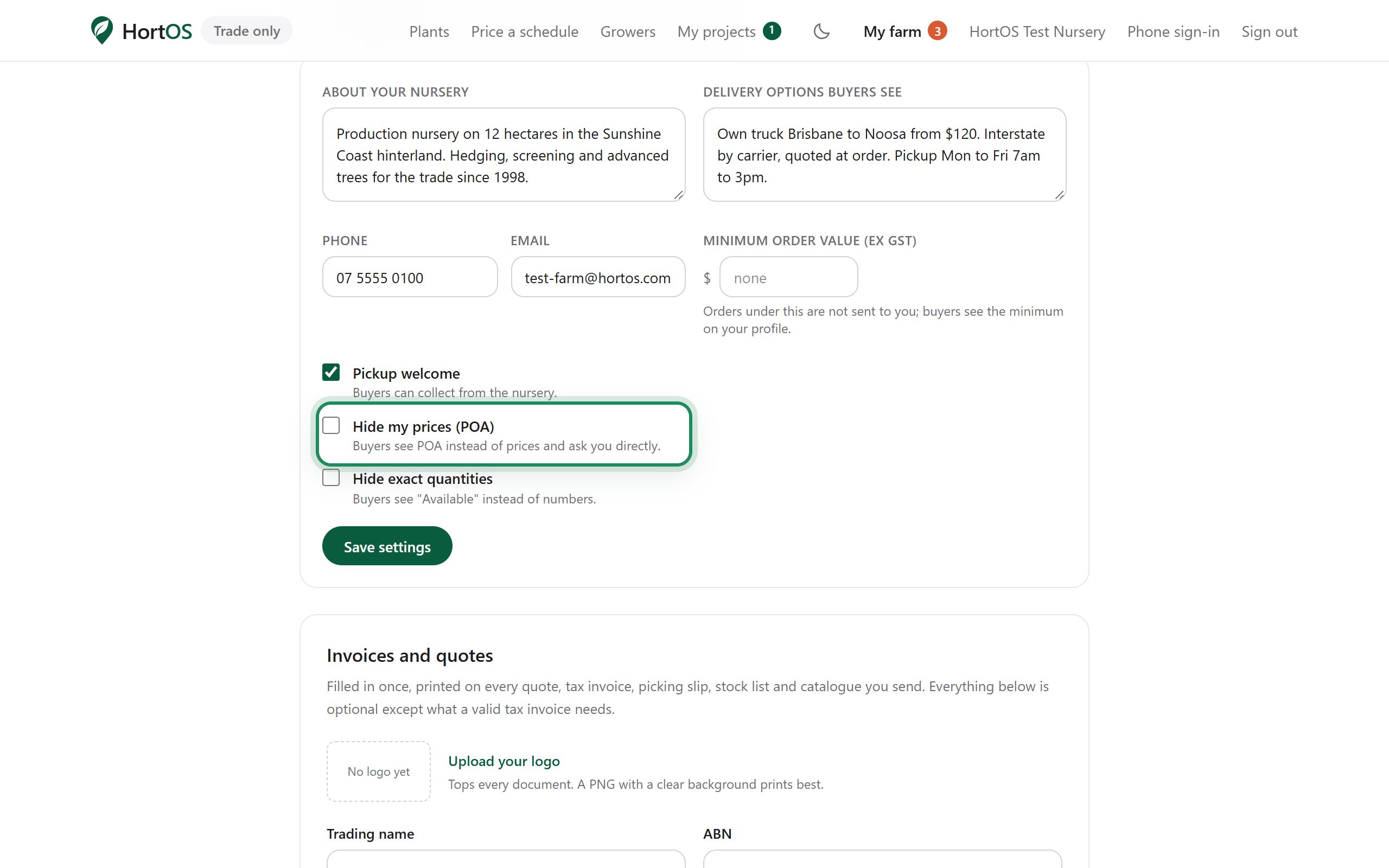
- 4
Contact details: what buyers see once they have a verified trade account. Casual browsers never see them.
Stuck? Email team@hortosapp.com and we will sort it out, or set it up for you.