Cancel an order
You can cancel while an order is new or just confirmed. Once the farm has it ready, ring them instead.
3 steps · about 1 min
- 1
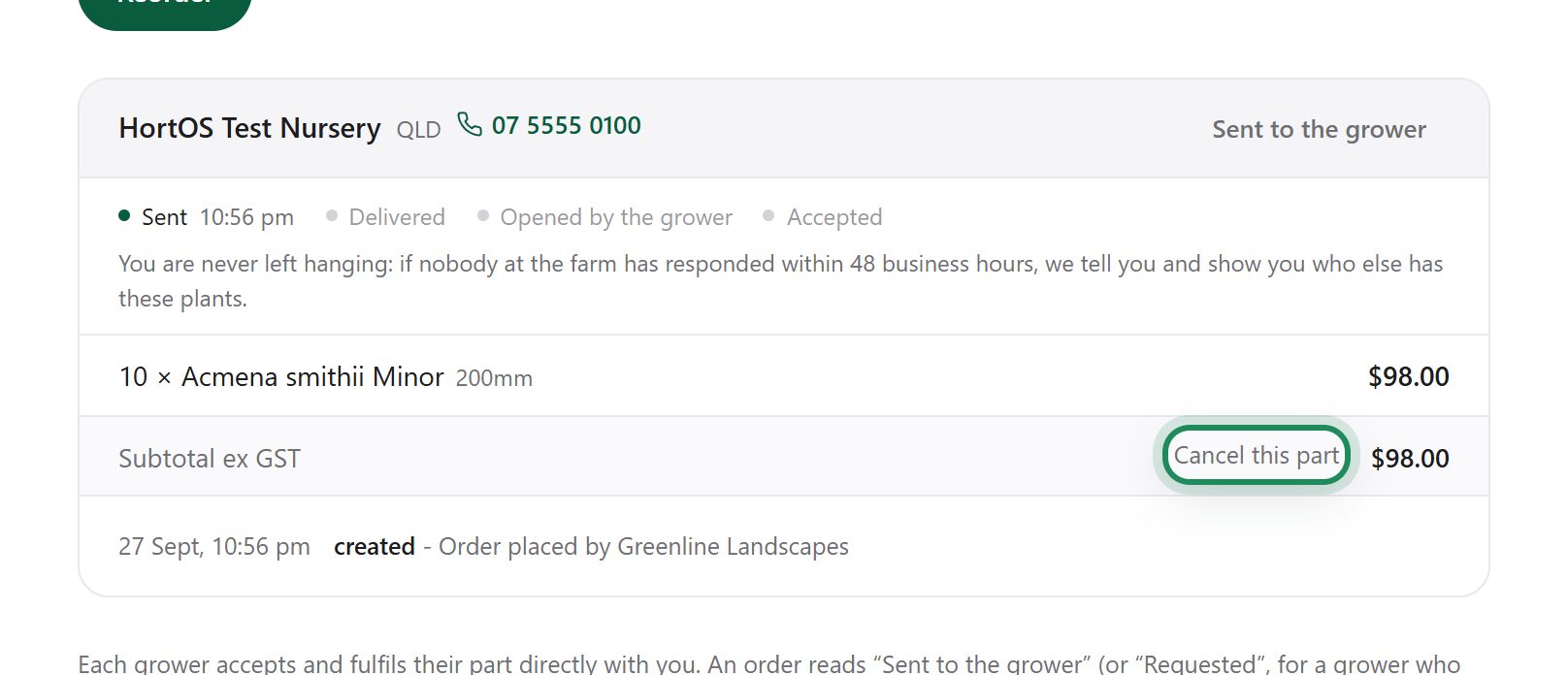
Open the order and click Cancel.
- 2
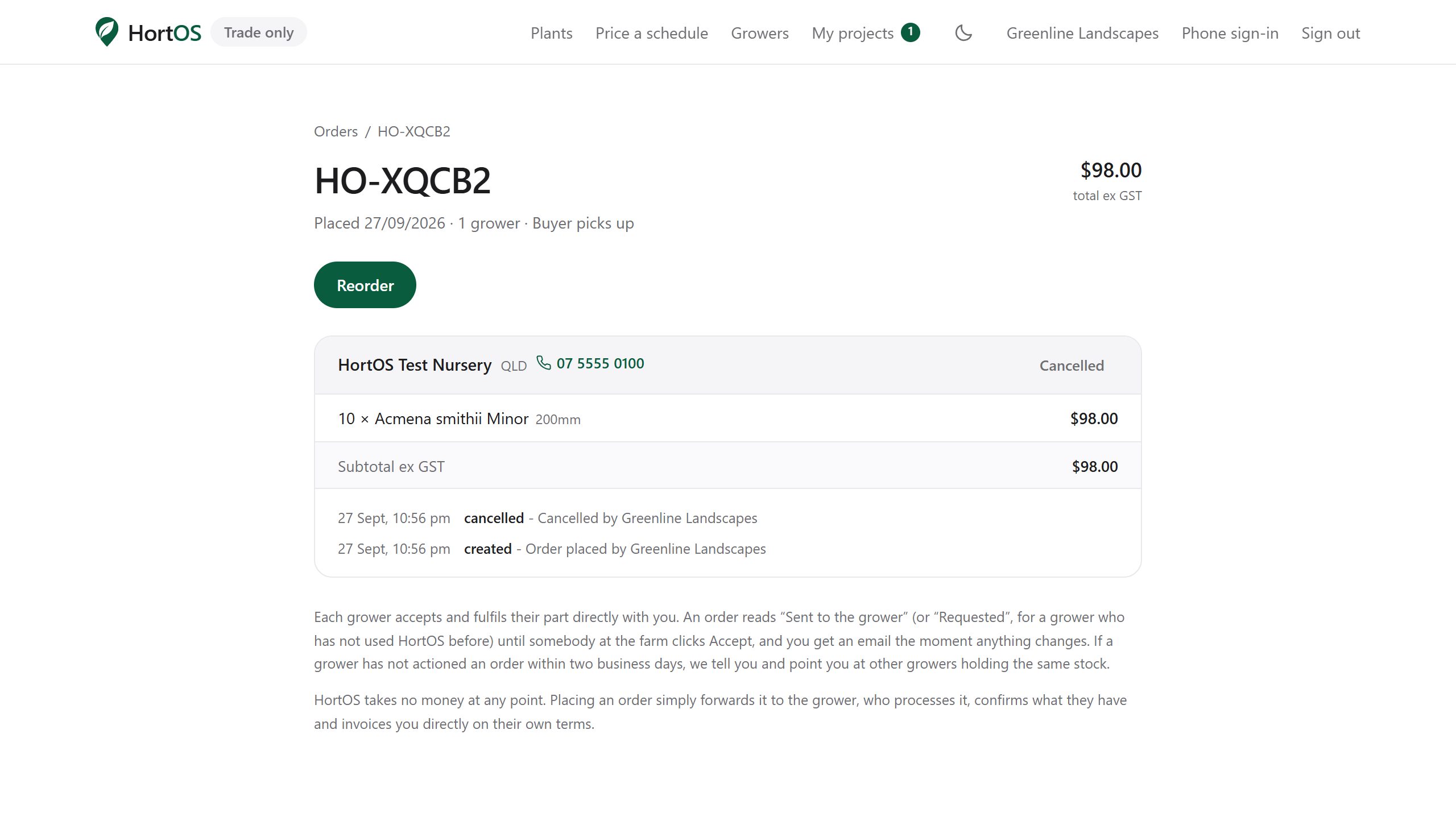
Confirm it. The order is cancelled and the grower is notified automatically.
- 3
The grower sees the cancellation flagged on their side, so nothing gets pulled or packed by mistake.
Stuck? Email team@hortosapp.com and we will sort it out, or set it up for you.