Claim your farm
Your farm is already listed on HortOS with your published availability. Claiming it gives you control: your stocklist, your prices, your orders. It is free.
4 steps · about 2 min
- 1
Use the claim link from our email, or go to au.hortosapp.com/claim and search your nursery's name.
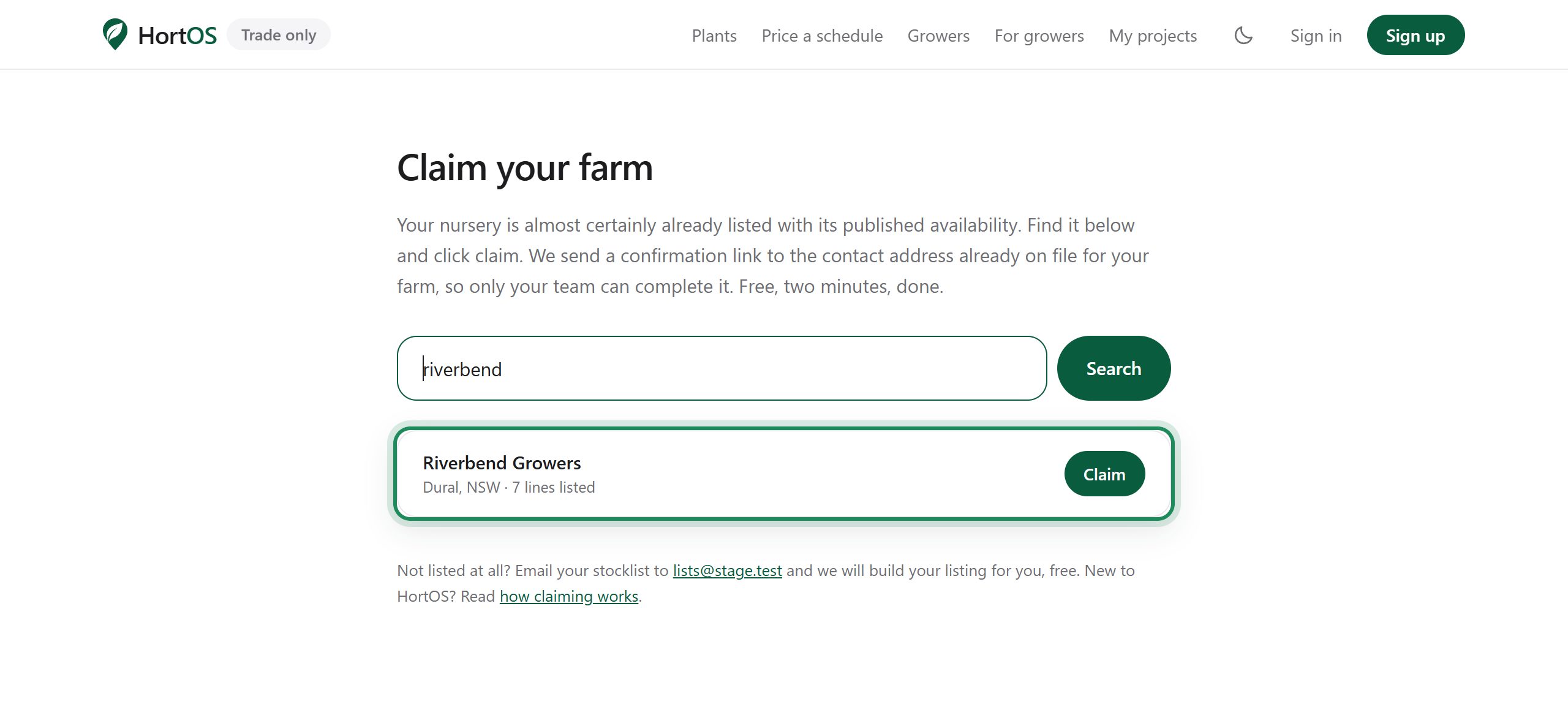
- 2
Your claim page shows where the link will go: the contact address already on file for your farm. Nobody else can use it. Click the button.
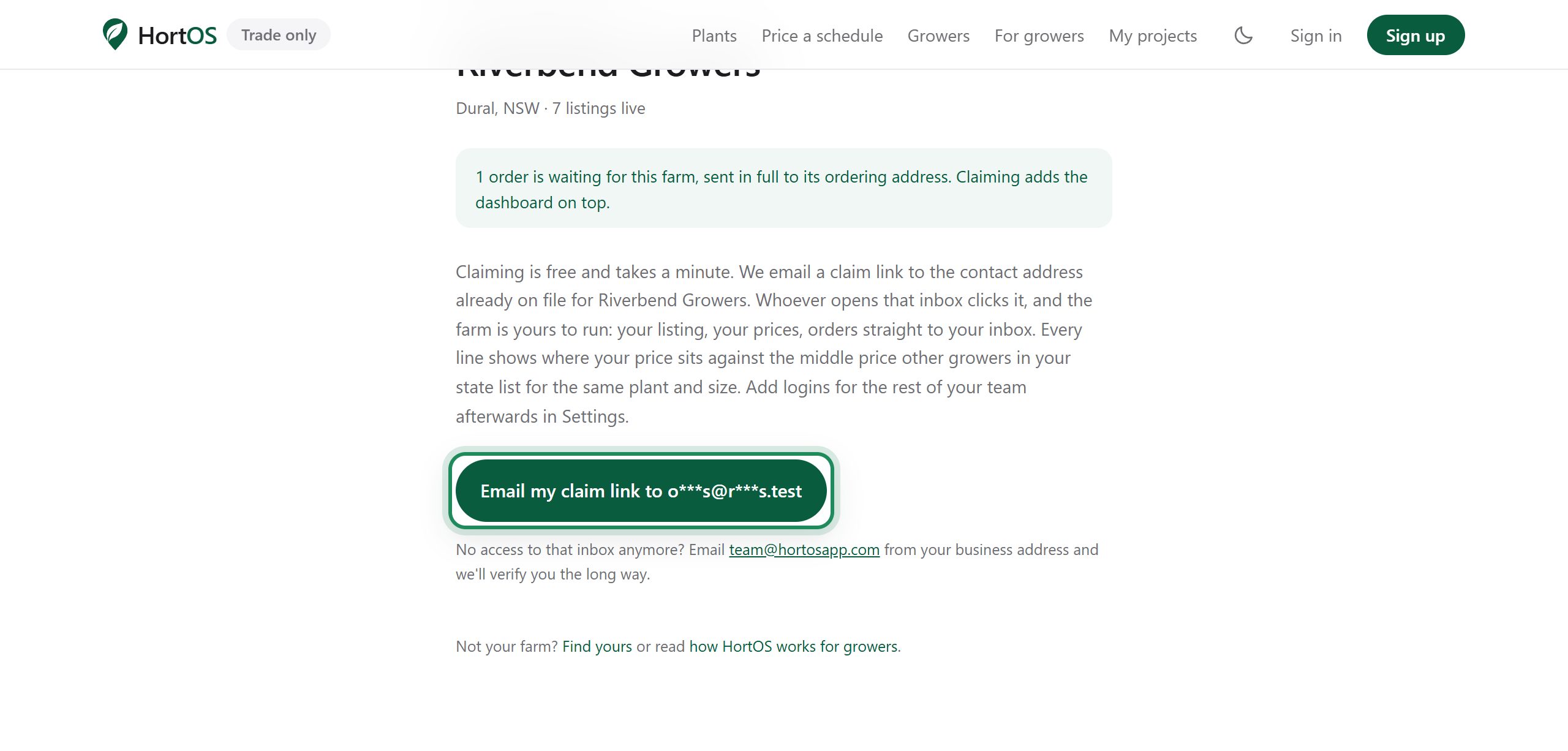
- 3
We email the claim link to that address. Open the inbox and click it. Anyone on your team can be the one who clicks.
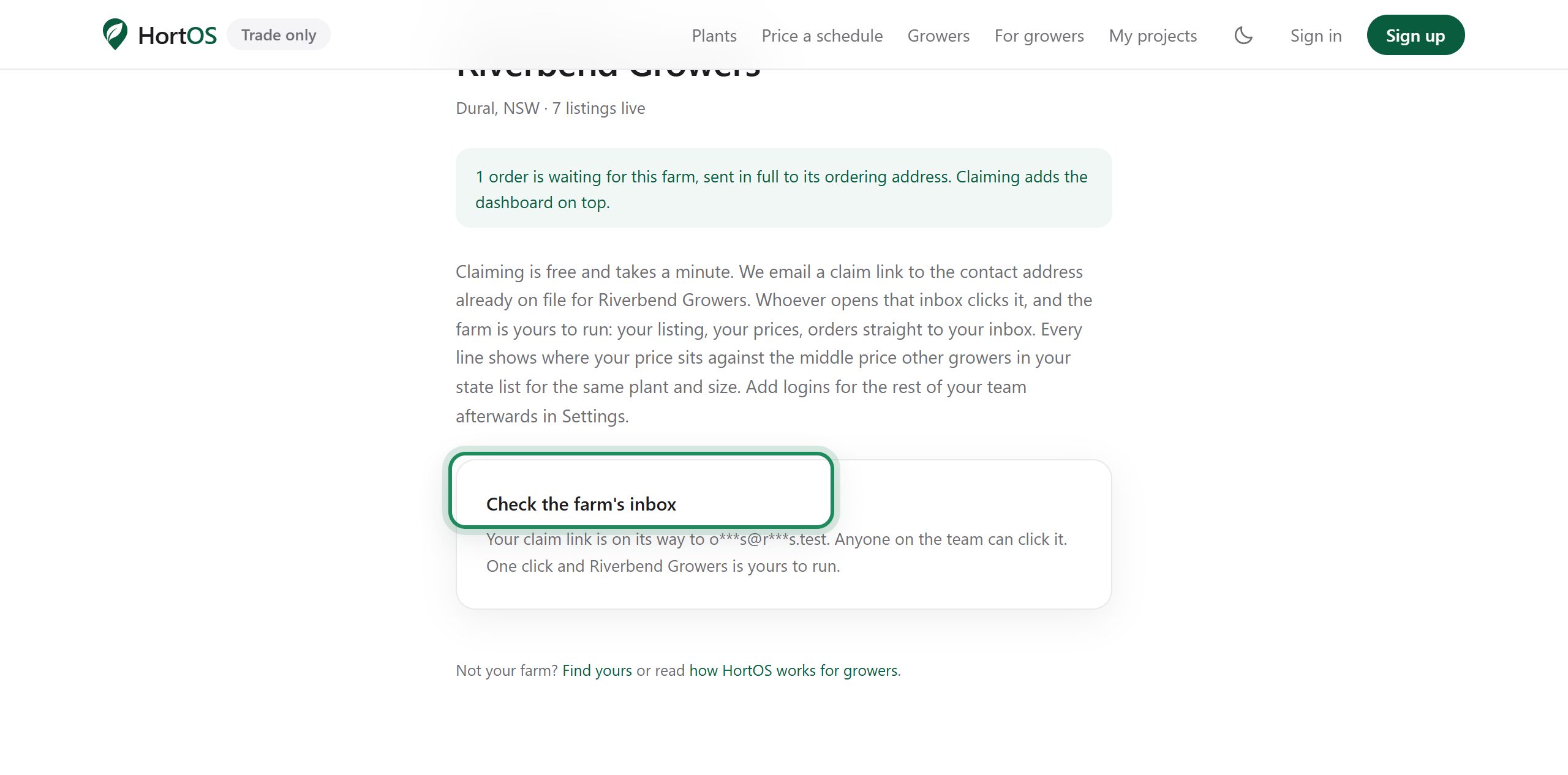
- 4
That is it. You land in your farm dashboard, signed in, with your listing live. Add logins for the rest of the team later in Settings.
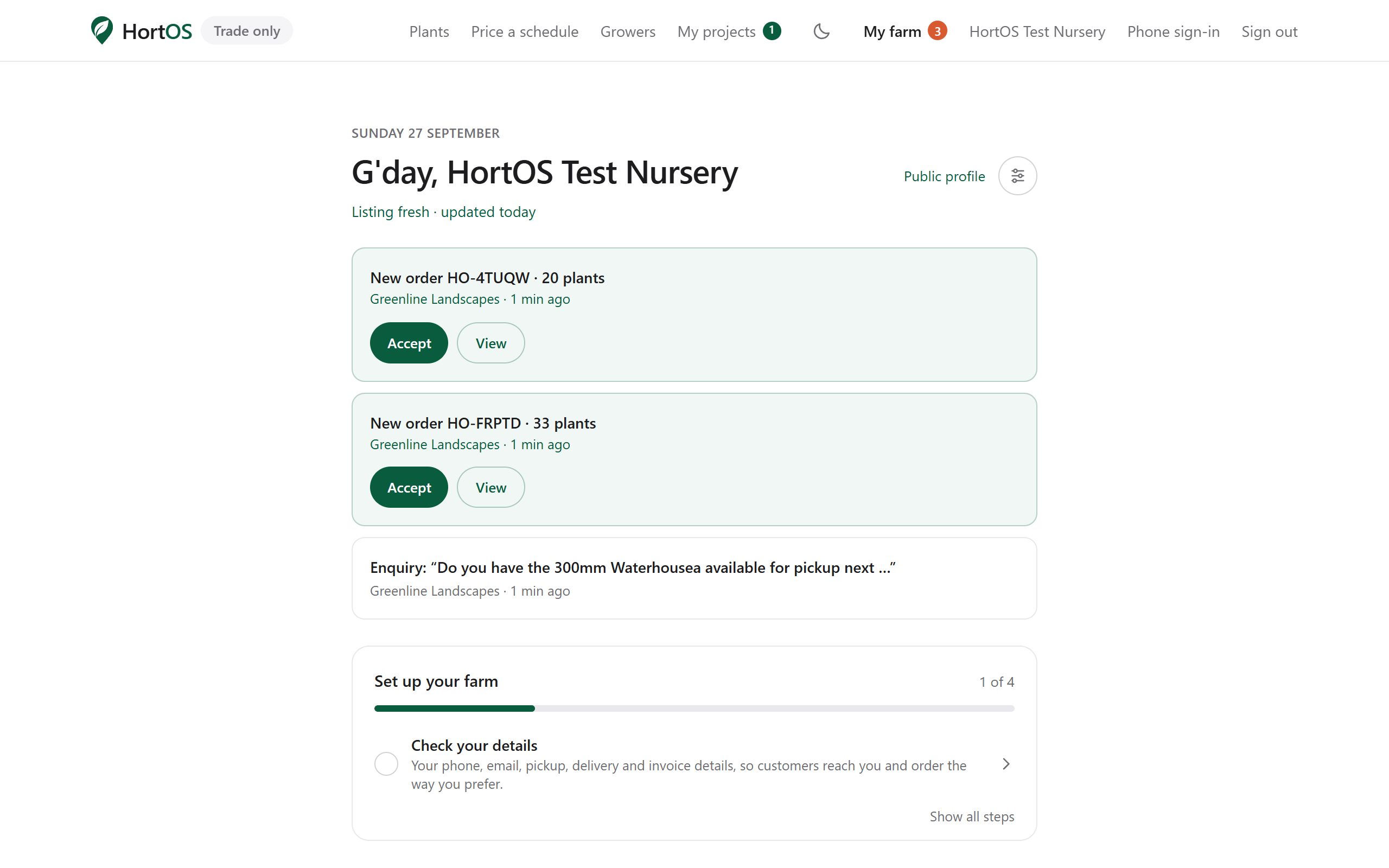
Stuck? Email team@hortosapp.com and we will sort it out, or set it up for you.