Invoices: issue, supersede, reissue
Invoices follow the order. If the order changes after invoicing, the old invoice is marked superseded and you reissue in one click. Numbering stays clean for your bookkeeper.
4 steps · about 2 min
- 1
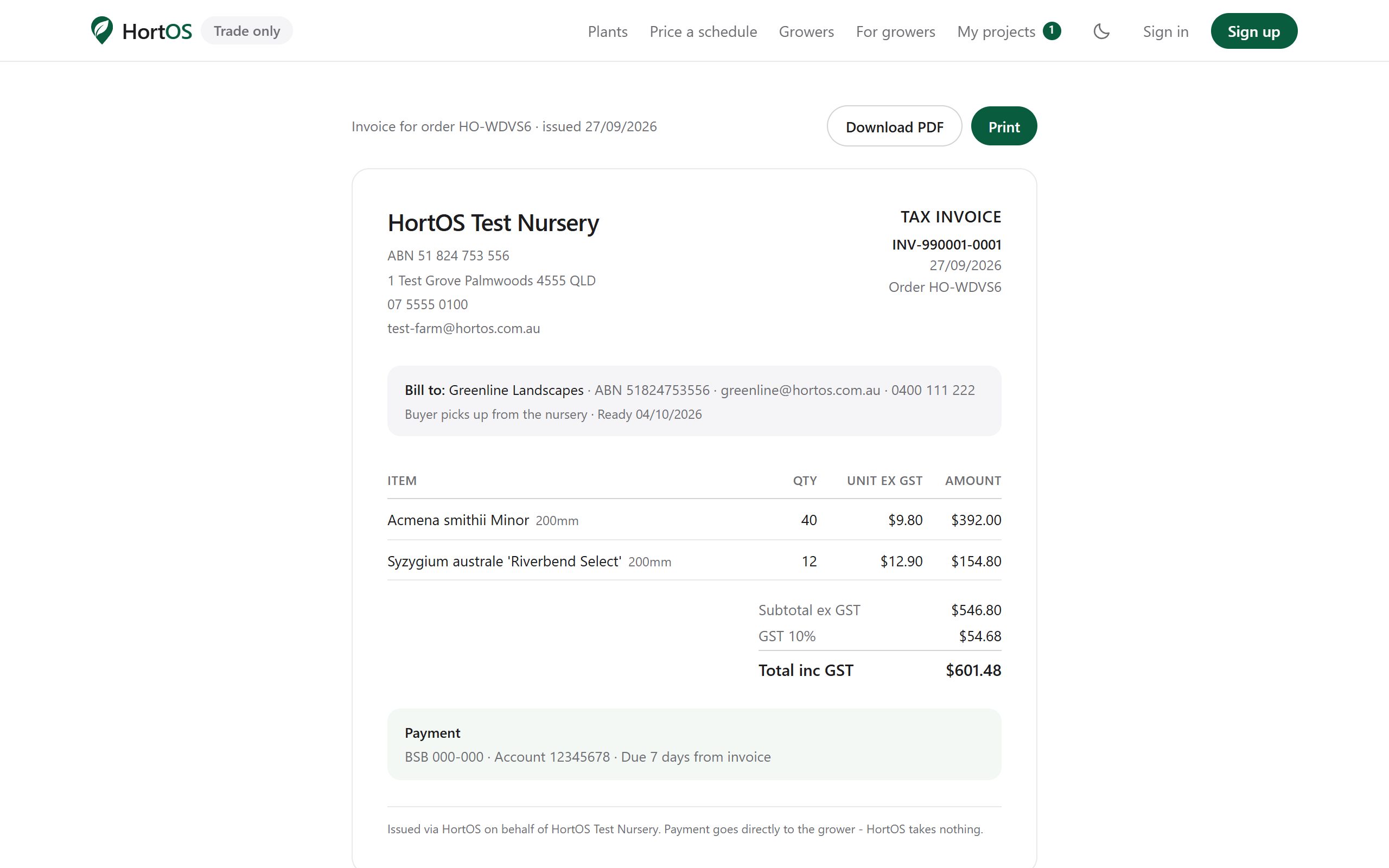
Issue the invoice from the order page once the order is confirmed.
- 2
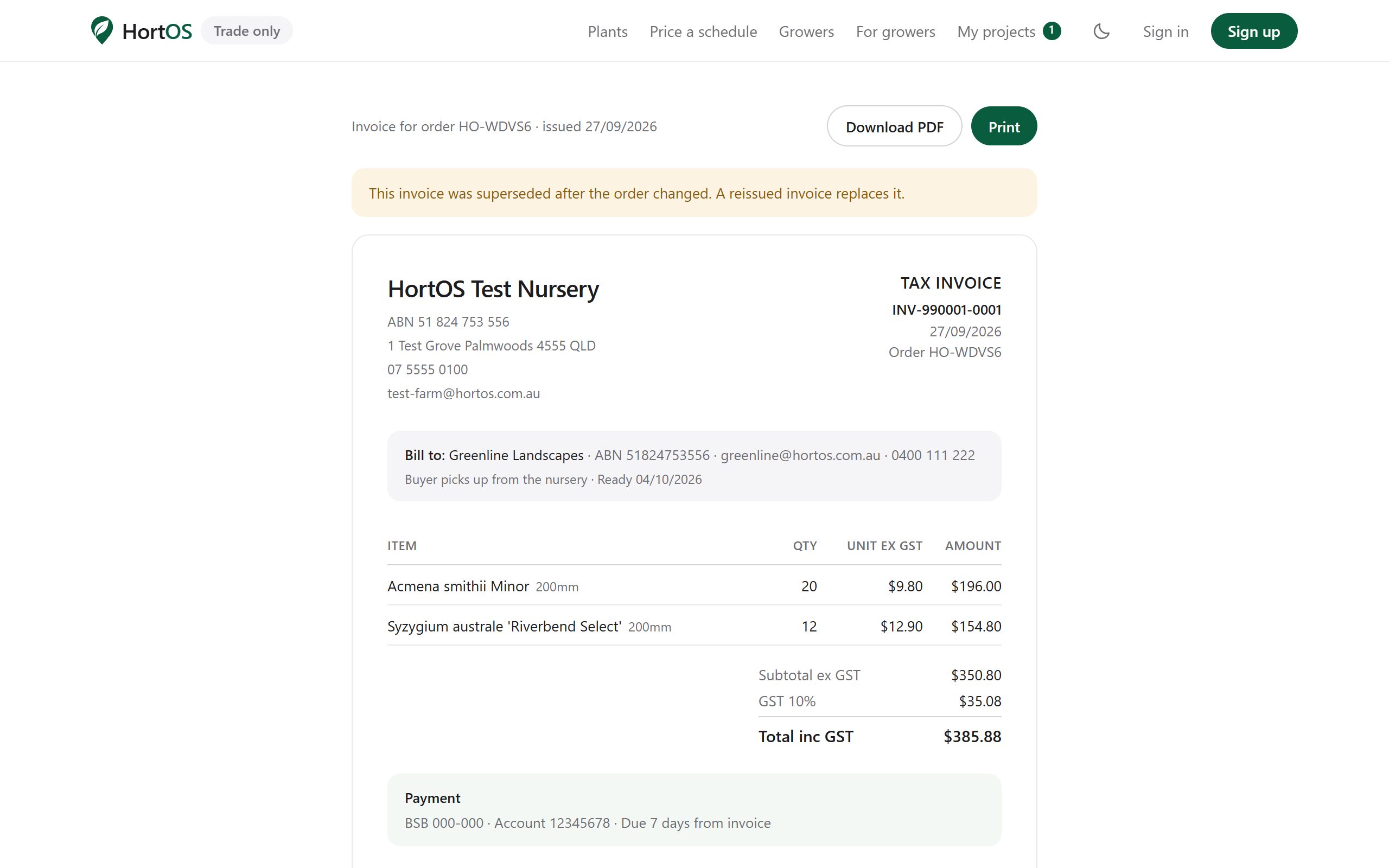
If you then amend the order, the invoice is automatically marked superseded. It stays viewable but clearly outdated.
- 3
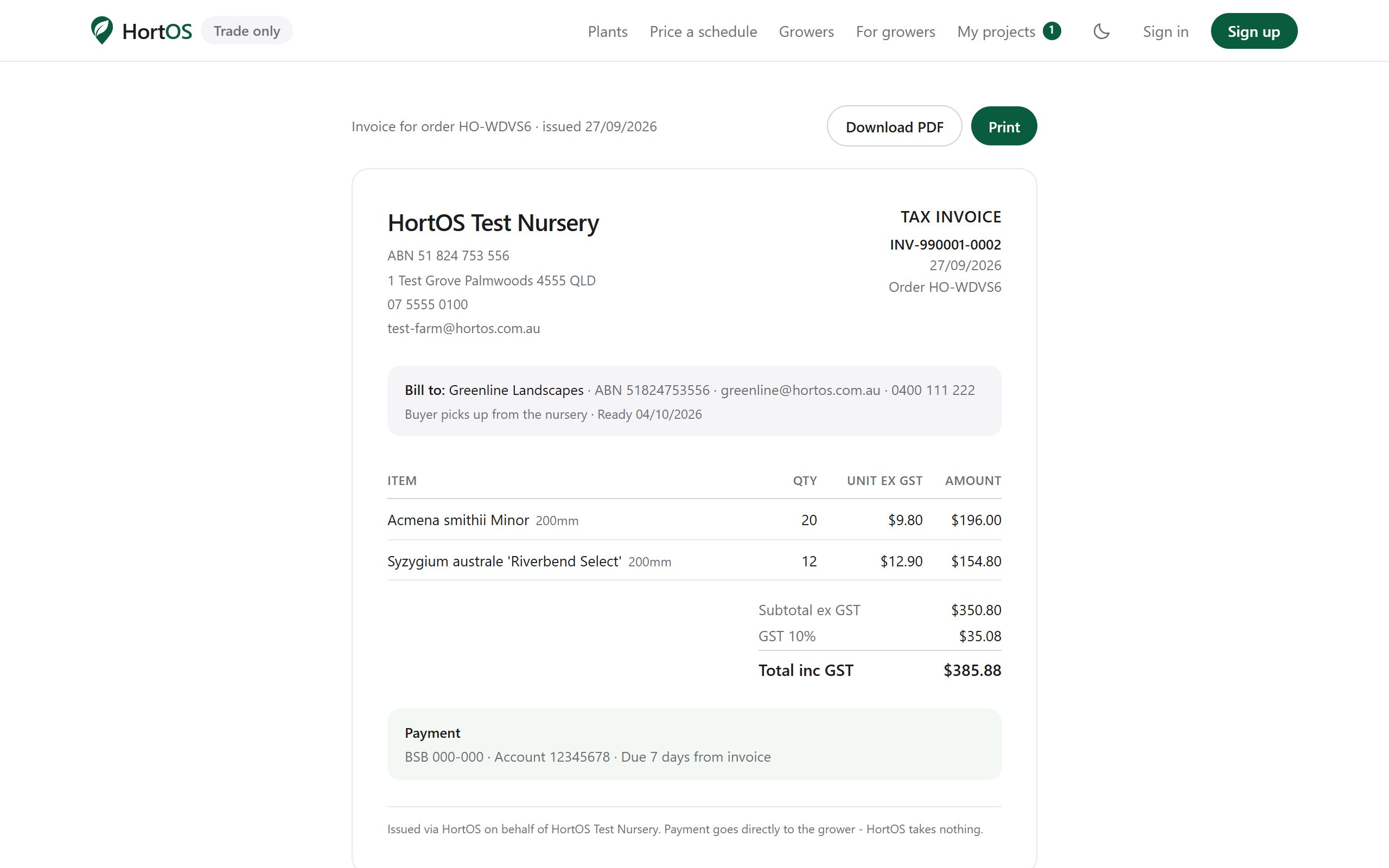
Click reissue on the order page. A new invoice with a new number is generated with the current lines.
- 4
The buyer's link always points at the current invoice. Nobody pays off an old total.
Stuck? Email team@hortosapp.com and we will sort it out, or set it up for you.