The ledger: what is owed, what is paid
Every invoice in one list. Mark them paid as money lands and export the lot for your bookkeeper.
4 steps · about 2 min
- 1
Open Invoices from your farm dashboard.
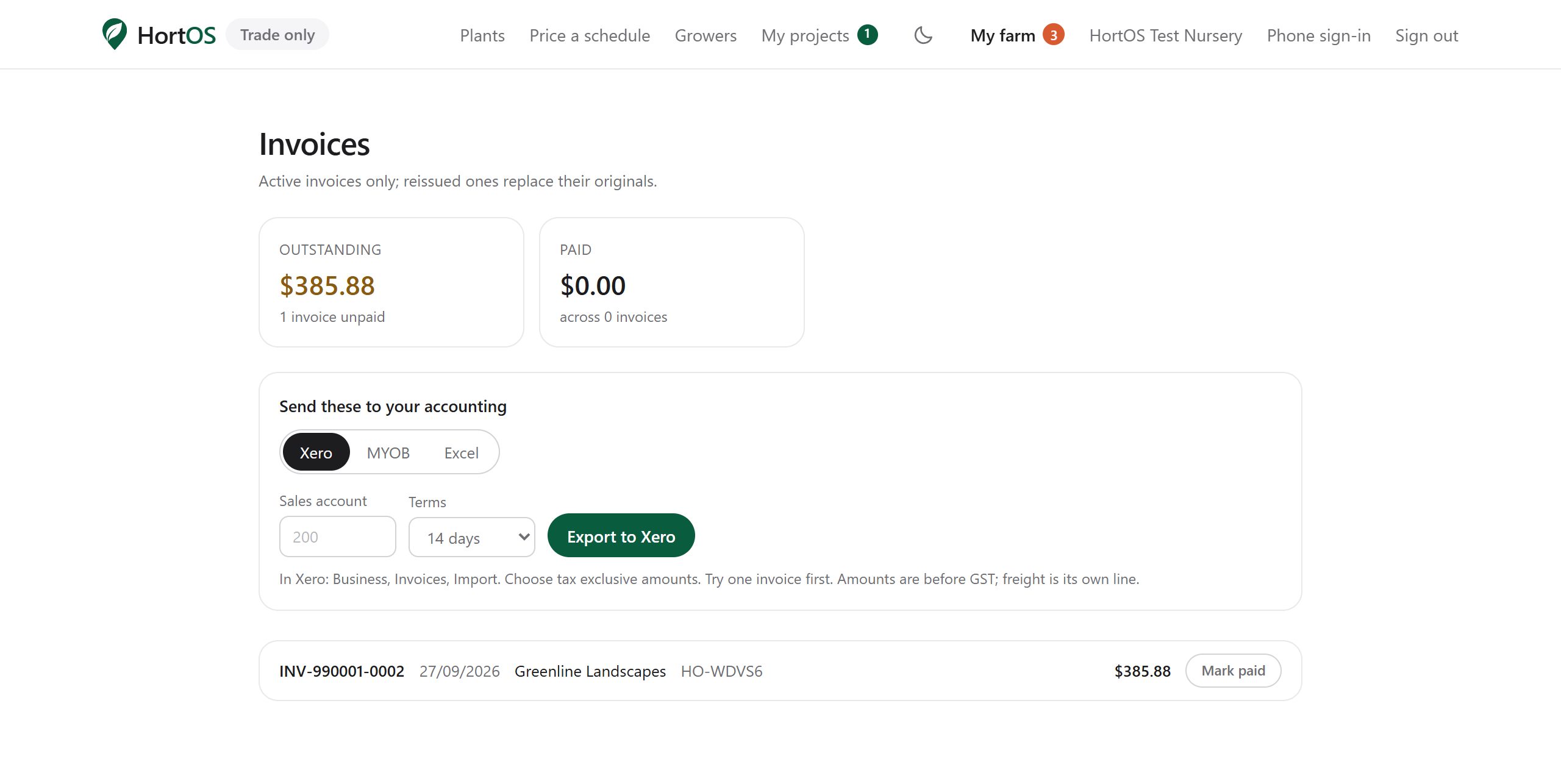
- 2
Each row is an invoice: number, order, buyer, total, status. Click mark paid when the money arrives.
- 3
Under the totals, choose Xero, MYOB or Excel, set your sales account and terms once, and press Export to Xero, Export to MYOB or Open in Excel. The file is in your accounting package's own import layout, one row per invoice line, freight included. Try one invoice first.
- 4
Outstanding invoices are always visible at a glance. Nothing slips.
Stuck? Email team@hortosapp.com and we will sort it out, or set it up for you.