Print picking slips
One click per order, or print the day's batch in one go.
3 steps · about 1 min
- 1
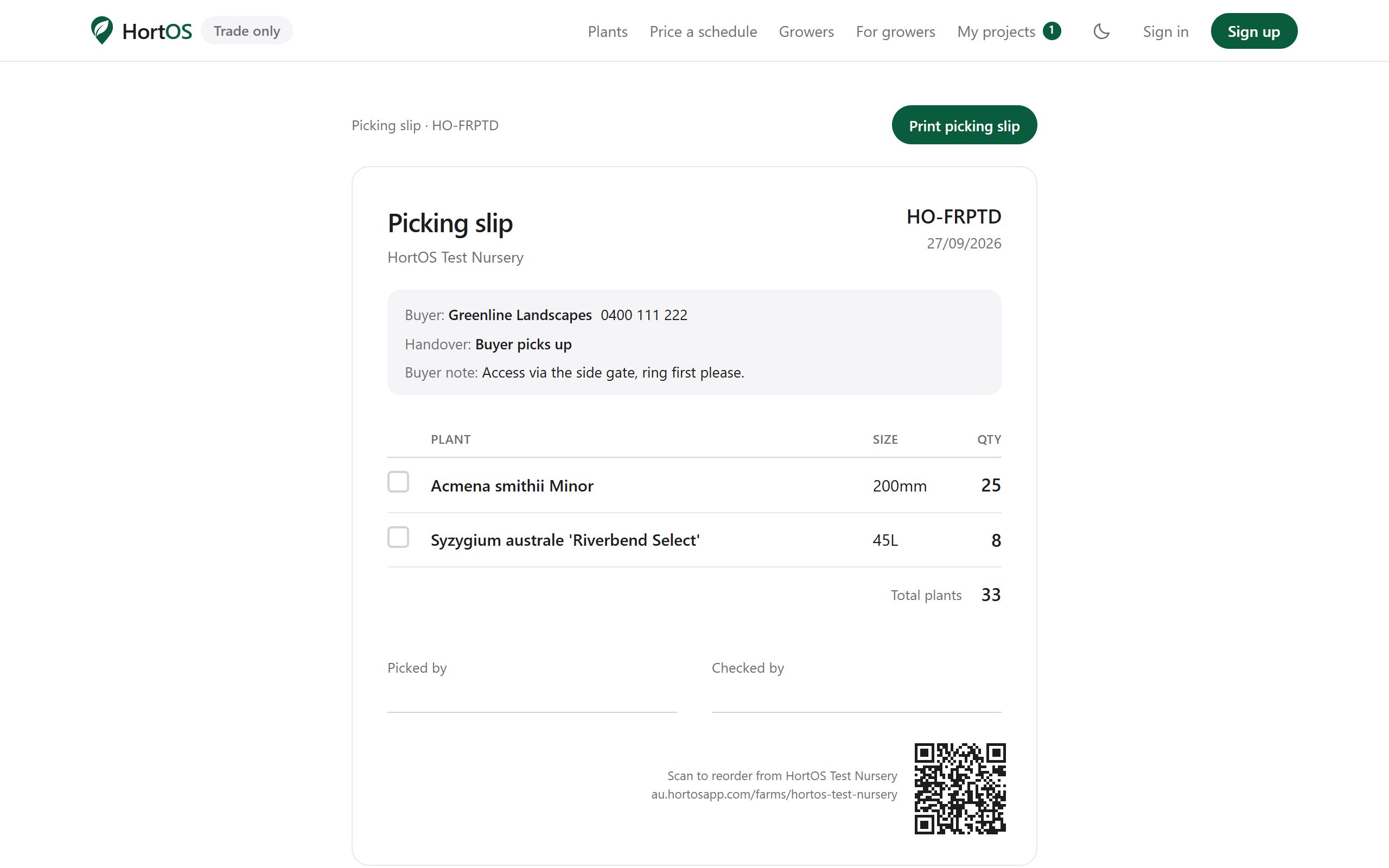
On any order, click print picking slip. It is formatted for the shed: big plant names, sizes and quantities, a line for checking off.
- 2
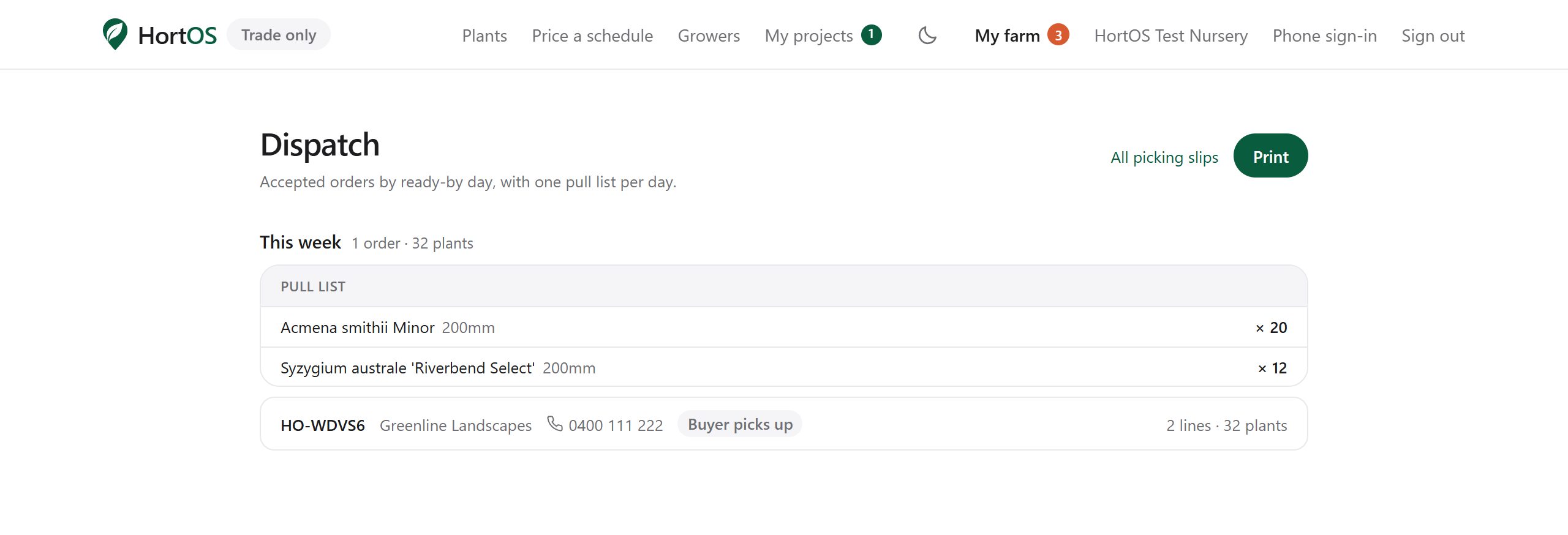
For a batch, open Dispatch from your dashboard and print slips for everything due together.
- 3
Slips carry the order reference and the buyer name so pallets do not get mixed up.
Stuck? Email team@hortosapp.com and we will sort it out, or set it up for you.