Set up invoicing once, invoice forever
Enter your details once. After that, every order can produce a proper tax invoice and picking slip with your name on it, in one click.
4 steps · about 3 min
- 1
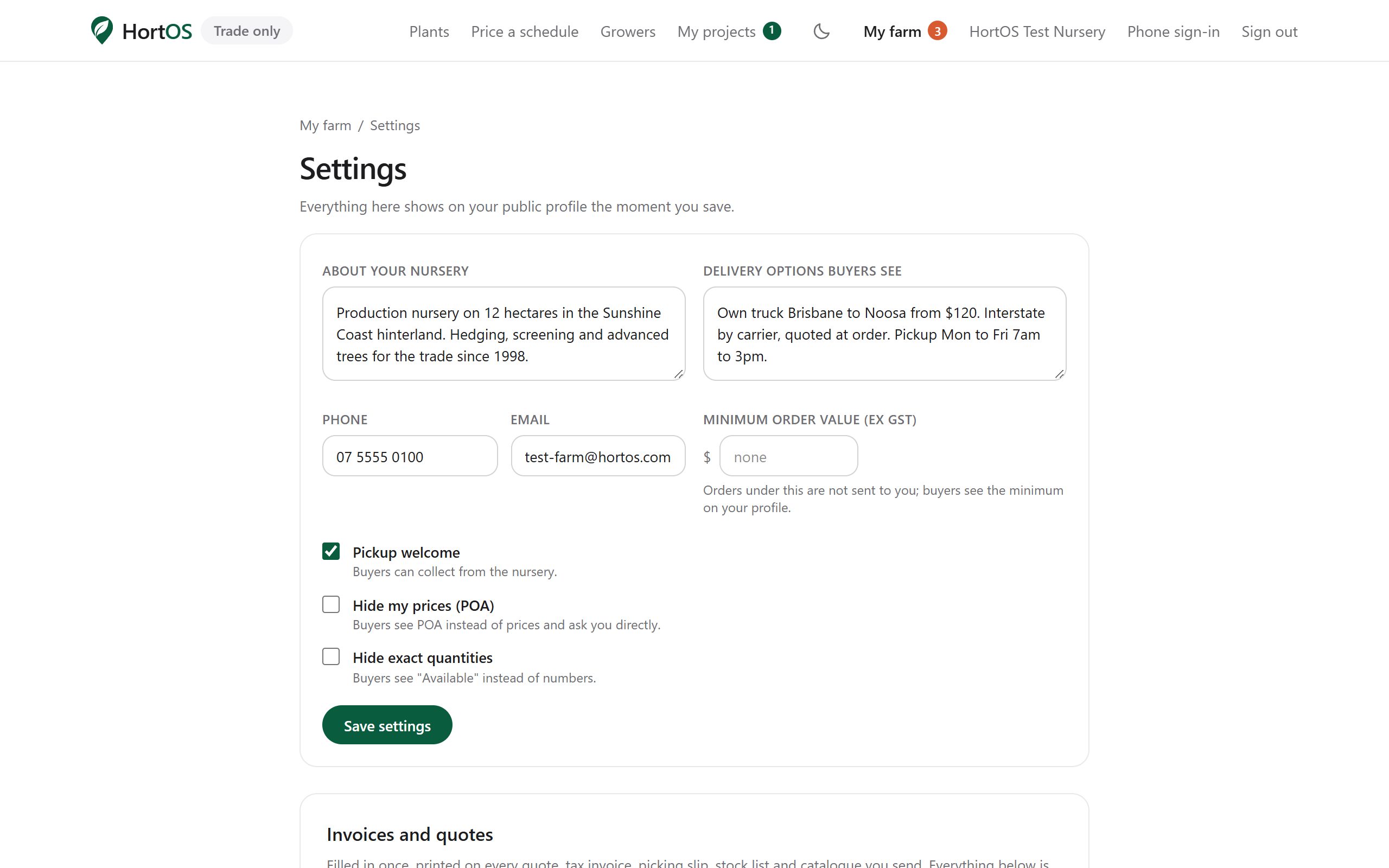
Open Settings, the gear at the top right of your farm dashboard.
- 2
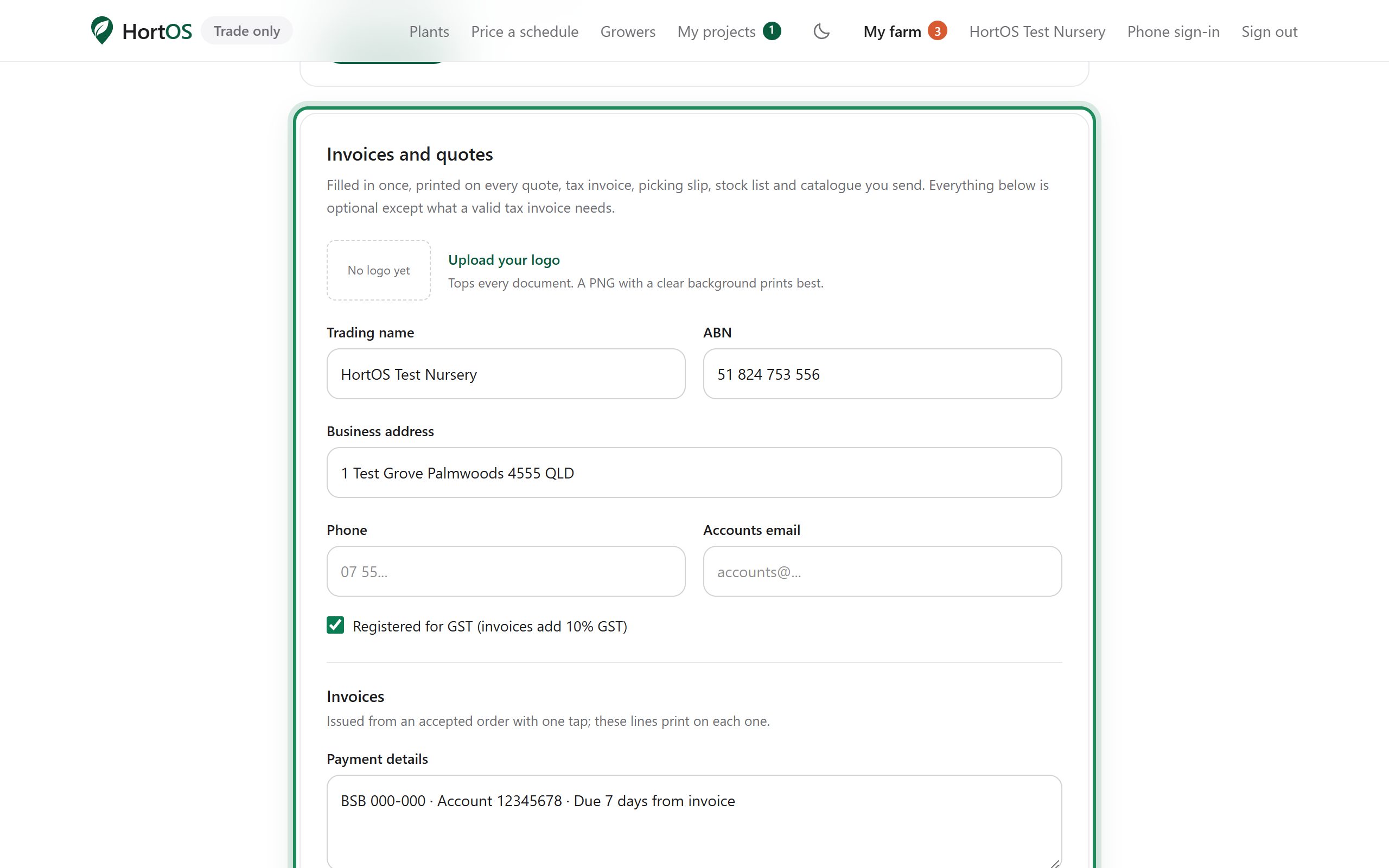
Fill in the Invoices and quotes section: your trading name, ABN, bank details, and upload your logo.
- 3
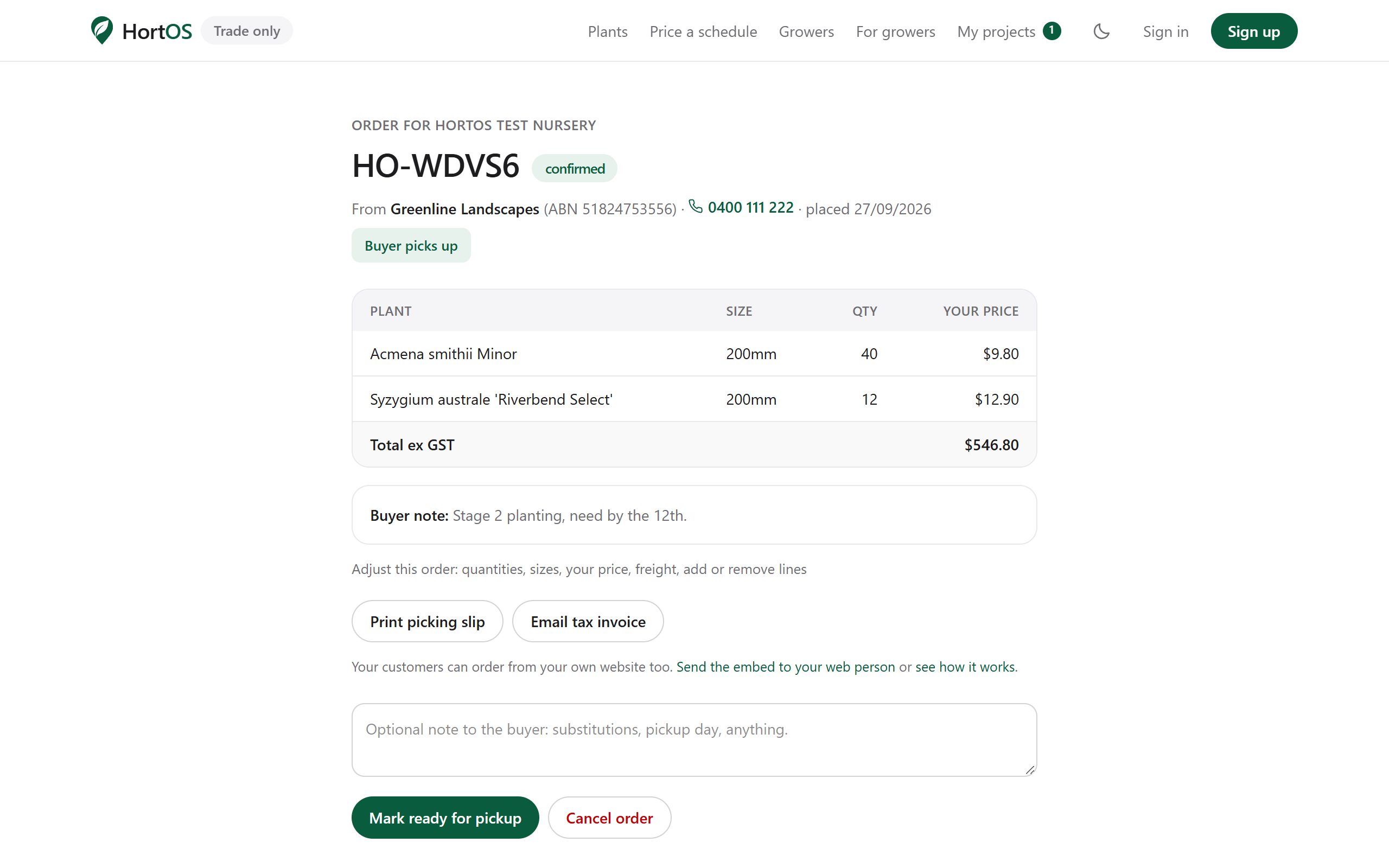
That is the setup done. On any confirmed order, click the invoice button.
- 4
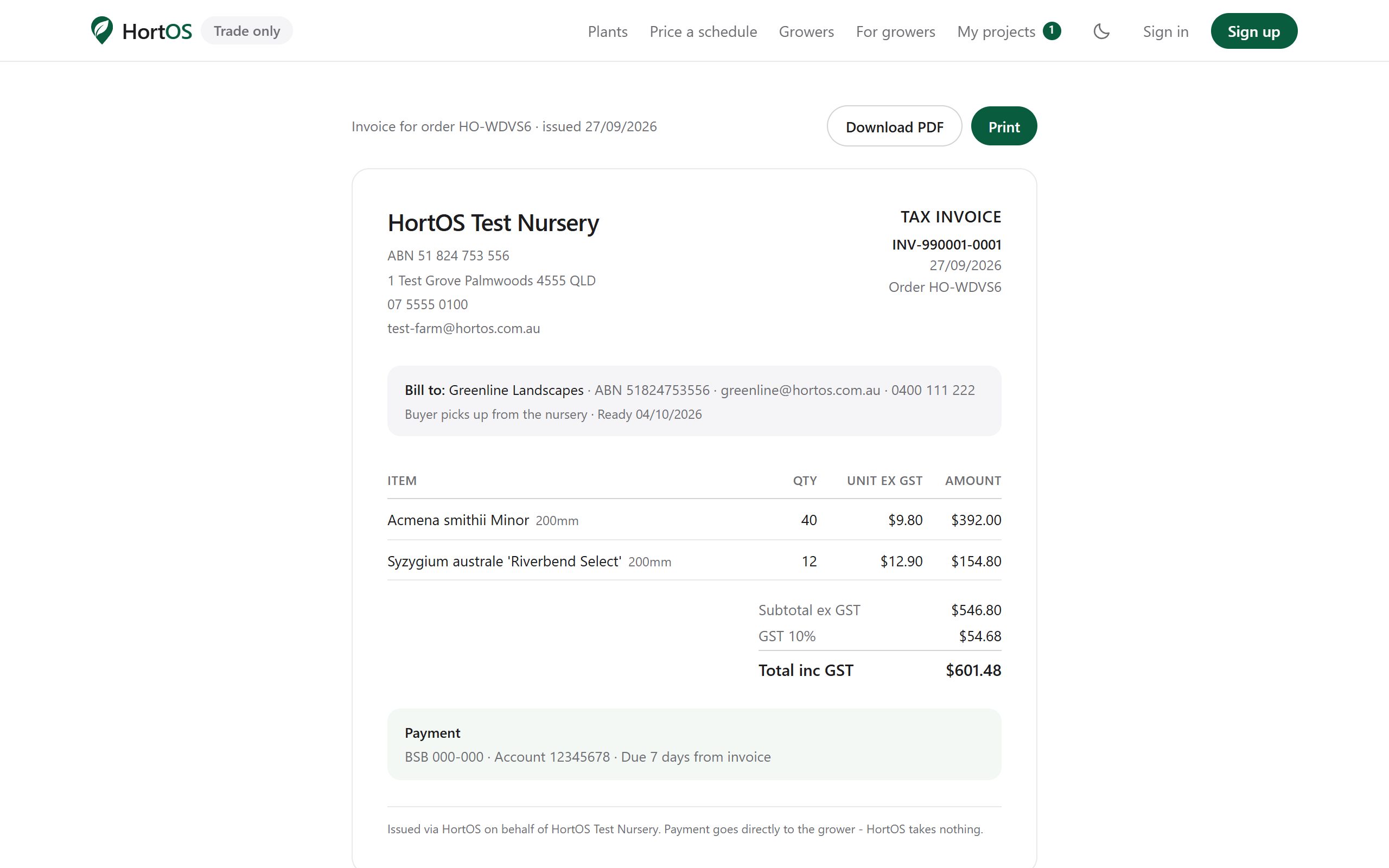
A numbered tax invoice with GST is generated. The buyer gets a link to the same document.
Stuck? Email team@hortosapp.com and we will sort it out, or set it up for you.